

These guidelines apply to all students and external lecturers.
Guidelines for employees, full-time lecturers, research assistants and student assistants can be found here.
Checklist before password change
Get an overview of which devices you’re logged into and how many HWR services you’re signed up for, as you’ll need to log in again or save new login details everywhere once you’ve changed your password.
Otherwise, they’ll keep entering incorrect login details, and if they enter the wrong details too many times in quick succession, their account will be automatically suspended.
Current password policies
- Minimum 12 characters long
- Atleast one number and one special character
- No “previous password+1″ or anything similar
- Do not use anything that can be directly linked to you, such as your name, date of birth, place of residence, partner, children, etc.
Recommendations
- Don’t make your password unnecessarily complicated if you can’t remember it anyway
- The longer, the better
- Take, for example, specific memories or events you are personally familiar with, and use them to create a mnemonic consisting of 3–4 words. This makes it easy to generate long passwords that contain special characters and are still easy for a human to remember
- 14*SUN*splash*SALMON*
Table_Sausage_Confetti=3
Cheese/Rose/Champagne!4
Password change through Webmail / OpenXchange
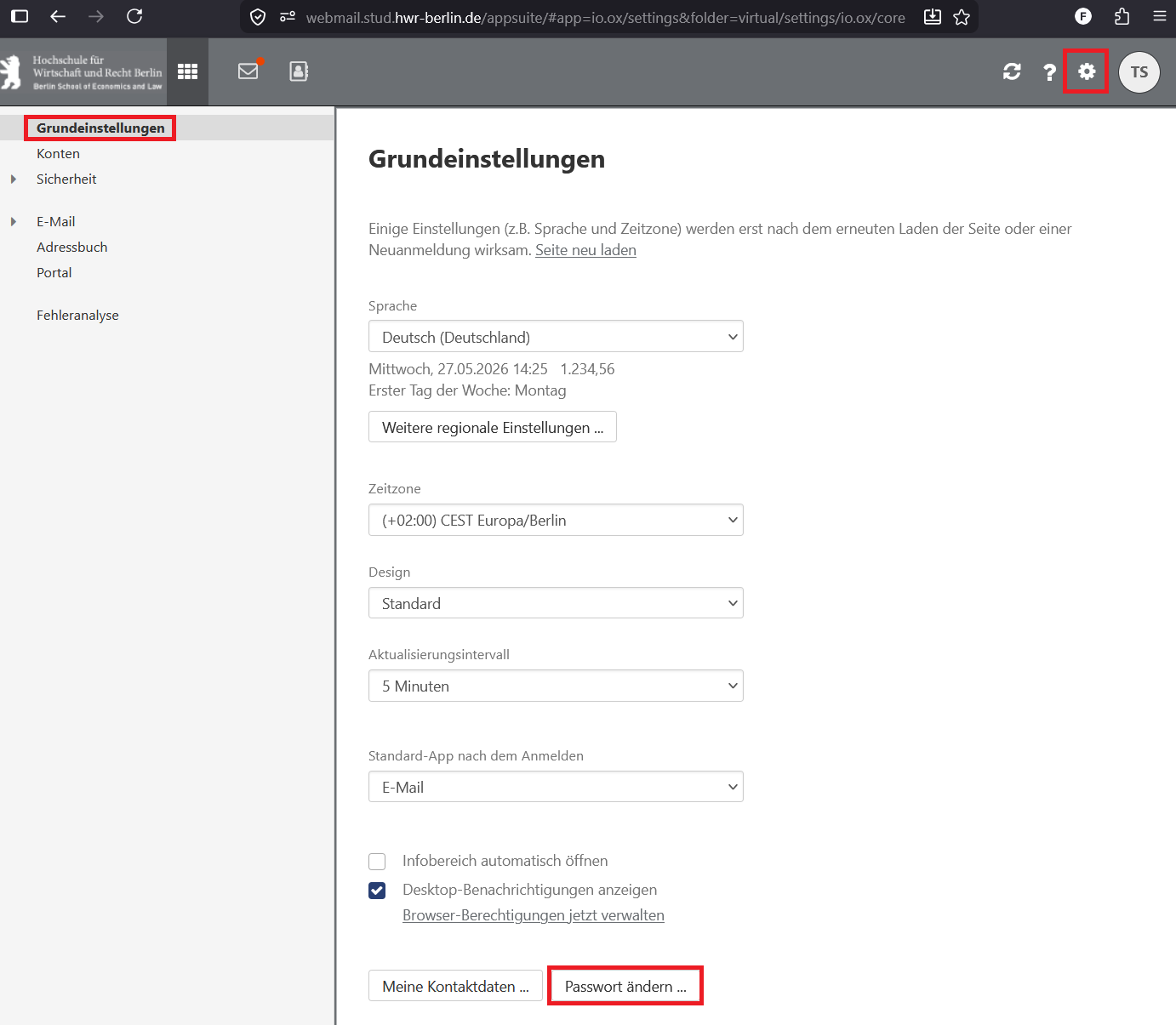
- Log in to Webmail
- Click on the cogwheel in the top right corner
- Go to general settings and click on password change
This checklist will help you find any other saved logins
Linked accounts on your personal devices:
On all your devices:
- Smartphone
- Tablet
- Laptop
- Desktop

Access to the library is not linked to your HWR account, and you can change your password via https://bibkey.hwr-berlin.de/.